Far away from your desk

I’m sure at some time we have all had aspirations to do our SQL Monitoring from the comfort of… well, horseback (although my ‘ranch’ is more of a backyard really, not much room to swing a cat let alone swing, or ride, a horse)

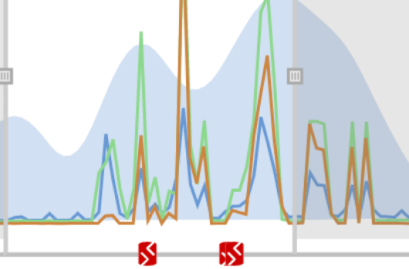
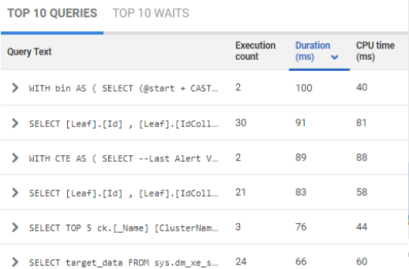
Why the long running query?

Why the long running query?

Or, we’ve wished we could escape the office and keep an eye on our databases while we were at home relaxing… wielding an axe (not much call for chopped wood in our electrically heated office)

Log backup overdue

Log backup overdue

More likely, you’ve wanted to get away from the server room and simply chow down on some chicken in a restaurant (I’m vegetarian, but…)

Cashew nut hit ratio

Cashew nut hit ratio

So to recap, I’ve never monitored on horseback, whilst chopping wood, or eating chicken. If you have any similar photos of monitoring your servers, please so we can see what we could be doing if we had SQL Monitor and an iPad.

Man's best friend - the iPad

Man's best friend - SQL Monitor on the iPad

Posted in Uncategorized | 1 Comment

Setting up Windows Networking on EC2

This follows on from my previous blog post that covered the basics of getting started with Amazon’s cloud computing service EC2. On this post I want to go into a lot more detail about the issues I had automating Windows networking on EC2.

I have very little knowledge about networking but I quickly realised that each networked machine would need the IP Address of the domain controller. For this reason I start up my EC2 network in several steps

  1. Start-up the domain controller machine instance and wait for it to become ready for use.
  2. Get the IP Address of the DC.
  3. Start the rest of the machines, passing them the IP Address using the runRequest.UserData property.

Step 2 can be done manually by monitoring the machine instance in Elasticfox and then pasting the IP Address into the C# code used to start the rest of the machines. Alternatively it can be automated using the ec2-describe-instances.cmd command line utility and parsing the output to pick out the IP Address. This IP Address then gets passed to every subsequent machine using the runRequest.UserData property as follows:

runRequest.UserData = Convert.ToBase64String(Encoding.ASCII.GetBytes(dcIpAddress));

The only thing that needs doing now is to make sure that each machine launched reads in this IP Address and joins the domain. To do this I wrote a C# executable, copied it to several of my personal AMIs and configured the Windows Server to run it at start-up. Maybe there’s an easier, more intuitive means to do this but I chose the executable and didn’t hit too many problems.

Networking For Dummies

The only major problem was getting all my stuff to play nicely with the ec2config service which runs on all EC2 machines and seems to do important stuff like giving the machine unique names (based on the internal IP address) and probably lots of networking stuff that I don’t pretend to understand. One thing I learned early on was that attempting to rename my machines to something more memorable than IP-0AE456B0 (for example) was very bad as it seemed to start a recurring reboot issue. I could never exactly figure this one out and the Amazon support forums seemed to contain several unresolved threads of this nature. Similarly bad things seemed to happen when my C# code attempted to join the machine to the domain.

After a lot of trial and error I came to the conclusion that it was the ec2config service that was causing the issues and that I would be better off not trying to compete with it. So I changed my startup executable to detect whether it was the first boot of the machine and depending on this follow different code branches.

First boot? (detected by the absence of a file called firstboot on the C: drive)

Yes ->

  1. Write a file “C:\firstboot” so that my code knows after the next reboot that it’s free to do its work.
  2. Set the ec2config service to Manual so that after the next boot it would not be running
  3. Wait a few minutes and if the ec2config service has not itself started a reboot, then force a reboot.

No -> Do the domain joining

  1. Check that we’re not already on example.com – if so exit application
  2. Create a HttpWebRequest object to http://169.254.169.254/latest/user-data. The corresponding HttpWebResponse will contain the IP Address of the domain controller that we specified in the machine start-up code.
  3. Use “netsh int ip set dns “local area connection 2″ static <insert_ipaddress_here> primary” to set to Primary DNS on the local machine to be the IP Address of the domain controller
  4. Use “netdom join %computername% /d:example.com /UD:sqlmonitortest@example.com /PD:password” to actually join the domain. Note that I have setup a user account on my domain controller called “sqlmonitortest” that has the necessary privileges to do this kind of stuff.
  5. Use “net localgroup Administrators /ADD sqlmonitortest@example.com” in order to make that user a local administrator. This is a huge time saver if, like me, your AUT (Application Under Test) requires access to this machine.
  6. Because I’m primarily interested in SQL Servers and most of my machines have SQL instances, I use ADO.NET to create a login for sqlmonitortest account and then add that login to the ‘sysadmin’ group (this is overkill for what my AUT requires but much, much less of a headache)

CREATE LOGIN [example\sqlmonitortest] FROM WINDOWS;

EXECUTE sp_addsrvrolemember ‘example\sqlmonitortest’, ‘sysadmin’;

7.  Force a reboot using “shutdown -r -t: 0 /f

Once your machine has surfaced after its second reboot it’s on the network and ready to go. Any subsequent reboots won’t change anything as the amazon service is still disabled and my executable detects that it’s now on example.com and exits. Maybe this is a long-winded way to automate networking on EC2 but I really struggled to find information on how to do this. The majority of support threads I visited seems to be geared towards Linux users.

Overall not the most intuitive process but one that wasn’t too much of an issue to achieve.

Next, in the third and final part, I will cover using CloudWatch to monitor EC2 instances

Posted in Testing | Leave a comment

Scalability Testing in the Cloud using Amazon EC2

One of the biggest challenges during the development of SQL Monitor v2.0 was to effectively test its ability to scale with a large number of monitored servers. On the surface this would appear easy as a large number of Red Gate employees have machines that run one or more instances of SQL Server.  We actually did do a fair amount of performance testing in this manner but we also felt the need to do something from scratch where we could have total control over the number of machines online and the precise load they are under.

cloud

I had written some dubious code that generated activity on a specific server, but we needed about 50 or so servers on which we could do this.  Now at Red Gate we have infrastructure that allows us to fire up Virtual Machines but the general feeling was that this would definitely not be able to cope with the kind of activity I had in mind. This is when I started looking at Amazon EC2, a “resizable compute capacity in the cloud” to quote the Amazon blurb. The idea is that you launch an AMI (Amazon Machine Image) on one of Amazon’s huge server farms and pay a small price per hour. This seemed ideal for the testing I had in mind so I’ll get on and tell you a bit about how I got started.

First port of call is the Amazon Management Console.

amazonmanagementconsole

This is a good place to start – easy to use and you can get an instance up and running pretty soon. A couple of annoyances quickly become apparent. The first launch of any ready-to-use AMI can take up to 15 minutes whilst it queries for the Administrator password. However, if you create and re-use your own AMIs, the launch time is reduced to a few minutes. The second issue is the limited number of Windows operating systems supported. They support 2003 and 2008 Server which isn’t great if you want to use EC2 for more general Windows OS testing but for scalability testing it’s probably good enough.

The Amazon Management Console is a good start but it’s not long until the sluggish speed and session timeouts start to get annoying. This was when I migrated to Elasticfox, a Firefox plug-in that from a usability perspective is generally superior to the default Amazon offering. It’s quick, doesn’t time-out and has loads of context menu options that can really speed things up.  The only downside I’ve found is that it doesn’t seem to support CloudWatch, an extremely useful service that monitors the performance of your machine instances.

elasticfox_plugin

There are probably other management consoles out there due to Amazon Web Services basically being a bunch of web services with a very easy to use API. Once I’d discovered this, most of my subsequent AMI management was done using Visual Studio and NUnit drivers to start / shutdown machine instances. Once I had created several personal AMIs, the IDs could be hardcoded into the C# project and I never had to think about it again.

I found it very easy to create networks on EC2 and even the automate this. To do this I first launch a domain controller VM and then send the IP address of this machine to all subsequently launched machines. I have modified all of my personal AMIs to contain start-up code that will read in the IP Address of the domain controller and automatically join the domain. As automatic network creation on EC2 is quite a large subject I’ll be covering this in part two, Setting up Windows Networking on EC2.

Posted in Testing | Leave a comment

iPad + SQL Monitor winners

Congratulations to the winners of the 30 iPads with SQL Monitor that Brent Ozar, Grant Fritchey and Steve Jones decided and announced today. We hope you have a better life/work balance as a result and that you’ll “relax and get out more… stop worrying about what your server’s doing, and start being present with your family, your friends, and your hobbies” as Brent Ozar urged.

Thanks to everyone that entered the competitions. It’s been inspiring and entertaining to follow the discussions. There have been some touching comments about yearning to spend more time with family and loved ones. Then there have been some that made us laugh out loud:

Krispy Kreme

Thanks also to Brent, Grant and Steve for taking the time to ask the questions, sift through the answers and decide the winners. They’ve each chosen winners quicker than we could have, so it’s thanks to them that you should have your iPads and SQL Monitor installed in time for the Christmas holidays.

To everyone, from us all here at Red Gate, “we wish you a merry christmas and a happy new year”

Posted in Uncategorized | Leave a comment

Happy SQL Monitor to all

The competition to win an iPad with SQL Monitor ends today, with Brent Ozar, Grant Fritchey and Steve Jones due to announce 10 winners each on Monday 20th December.

We have no idea who they’ll choose as the winners, but we’ve enjoyed reading all the entries, and one in particular brought a big smile to our faces. Greg Larsen composed an entertaining poem based on the classic ‘A Visit from St. Nicholas’.

It begins:

‘Twas the night before Christmas, when all through the farm
All the servers where humming, not causing a harm.
The SQL machines were manage with care,
In hopes that SQL Monitor would soon be there.

The programmers were nestled all snug in their load
While visions of T-SQL danced in their code.
And the Network Admin in her ‘kerchief, and I in my cap,
Had just settled our brains for a short winter’s day nap.

When out on the floor there arose such a clatter,
I sprang from the desk to see what was the matter.
Up from my chair I flew like a flash,
Tore down the hall assuming a crash…

You can read the full poem at SQL Server Central

Thanks Greg! And thanks to everyone who has joined in the competitions – there’s still time to enter – good luck!

Posted in Uncategorized | Leave a comment

iPad and SQL Monitor – free to good home

This is SQL Monitor in a nutshell:

Friday night watching TV and servers
TV, beer and SQL Monitor
It’s Friday night and you’ve left the office. You’re at home with a beer and the TV on and you no longer care about the servers at work, right? Wrong. You do care. You’re responsible for the servers 25 hours a day, 8 days a week. But you’re not at the office.

This is where SQL Monitor comes in. This is where you reach for another beer and take another glance at the servers. Wait… Hold that beer… processor utilization is high on a production server… no, it’s gone back to normal… so, back to that beer…

But you want a mobile device for this, ideally an iPad. There was a genuine buzz around the office when we got our hands on some iPads and started using SQL Monitor. New technology is ‘so much fun’, just ask Grant Fritchey. Grant is one of three DBA experts we’ve asked to help hand out a total of 30 iPads, each with a license for SQL Monitor. Along with Brent Ozar and Steve Jones, they’ll be offering these out with the goal of increasing the life/work balance for 30 fellow DBAs.

Visit their blogs and enter one of the contests and you’ll be in with a chance of winning. The only catch is, you’ll have to buy your own beer.

Enter the competitions:
Brent Ozar ‘Giving away Apple iPads and Red Gate SQL Monitor
Grant Fritchey ‘Life/work balance
Steve Jones ‘iPads for Christmas

Posted in Uncategorized | Leave a comment

SQL Monitor and “The Cloud”

So, how can we demo this thing?

In the beginning there was a product, and it was a good product for the testers had decreed it so, and nobody argues with a tester. But then comes the inevitable question of how can somebody test it out without risk. Red Gate prides itself on the tools being easy for people to trial before they buy, and no cut down trial for you sir, oh no, for you sir only the best will do – a fully functional trial – suits you sir.

The problem

The problem comes when you get a tool that has to be configured to use your live servers in order to trial it, the average dba has better things to do than trial products in this way. This makes actually seeing what the tool feels like to use a bit difficult, you could rely on product videos (quality varies and you always have that sneaking suspicion it has been rehearsed for days) or bite the bullet and commit your time to perform the install to see for yourself. Neither solution is particularly attractive.

The solution

Now SQL Monitor has an architecture that lends itself well to a demo, there is a back end database for storage, a base monitor for actually doing the monitoring and a web UI front end which requests data from the base monitor. So the team set one of their number on working out a solution, the inestimable Philip Wise.

Wouldn’t it be great if we could show this working on a real site, a really big site, a famous site. As it happens we have such a beast available to us – what about letting people see what it looks likes when we monitor SQL Server Central. There is an element of showing our dirty laundry in public but let’s be honest and let people make up their own mind.

The implementation

Obviously we don’t want people to be able to modify the alerts on the live system so some modifications had to be made to make the web UI be read-only and not need a password entry. Then we needed to work out where to host this. We decided on EC2 primarily because it was easy to set-up (the testers had been using it for large scale testing of SQL Monitor), allowed the user to install full programs on the system and provided a load balancer so that we could have a couple of actual SQL Monitor installs.

The data from SQL Server Central is actually replicated into local databases on EC2 from the actual live monitoring system in the SQL Server Central DMZ, this is actually working quite well and although we have seen a hiccough once it recovered quickly.

Having the load balancer in place has meant it’s easy to take one server out of the pool perform updates on it and switch it live with one click being able to switch back to the old system should there be a problem or just go ahead and update the old system and bring it back into the pool.

SQLMonitorLayout

The result – go on try it yourself if you don’t believe me

http://www.thefutureofmonitoring.com/

This has meant we have a fantastic demo site available world-wide for a next generation monitoring tool for little initial outlay. Will the site remain on EC2 in the long term, not sure, the cost is not insignificant in comparison to static hosting so we’ll see how things develop.

All in all a great tool with a great demo “in the cloud”. Neat.

First published on Simple Talk on November 23, 2010

Posted in Uncategorized | Leave a comment

SQL Monitor – behind the scenes

“Hi Jonathan, my name is Adam, I work for Red Gate, on the SQL Response team. I am wondering if it would be possible to arrange a user experience session with you please? It should only take about 10 or 15 minutes, if you could help us out we’d really appreciate it.”

That’s how it all started, over 18 months ago. I had recently purchased a SQL Toolbelt license that also included SQL Response. I installed SQL Response and was impressed but had a question or two and it was in reply to those queries that Adam had called me. I happily agreed as that amount of time wasn’t difficult to find and I figured at least I would get the answers to my questions and may even influence how the product was going to be developed.

I arranged a laptop and booked a meeting room for the agreed time and off we went on the remote session, a few questions here, some opinion there, an explanation of why I wanted this, a puzzle over why I did that with the mouse at that point . . . 2 hours later we said goodbye and I was noting a slightly longer lunch break than I had anticipated on my timesheet.

From that point on poor old Adam was my first port of call for ideas, questions and complaints about SQL Response. When the project for the next version was started I was still in touch with the team and was included from an early stage. As soon as there was a downloadable package I had an email and excitedly installed it on my test server. It was a bit basic with much of the navigation missing – leading to many “this feature is not yet implemented” messages. For several editions after this one there were moments that brought the whole application to a standstill, sometimes this was resolved by closing the browser, other times by stop-starting the services and occasionally needing a reinstallation to recover from the problem. Steadily, however, the versions became more stable, had less effect on my test servers and, most excitingly of all, started giving out some meaningful and useful information.

All the time I was feeding back information and ideas, either from the built-in feedback link in the UI or via email or their specific feedback forum.

I joined in on the Future of Monitoring blog that was founded to gather feedback for SQL Response 2 and got credited with some of the most ridiculous UI design ideas in the Design a Dashboard competition – who on earth would build a SQL Server performance monitoring application that was designed around a Galileo Thermometer?!?!
Less – “If you build it they will come.”
More – “If you build it they will laugh at you.”

With all of this exchange of ideas and experiences I began to feel part of the development team and am really proud of the product that is now in Beta testing. You would have to get a fully paid-up member of development team in a tight corner in order to find out exactly how much I helped or hindered but I like to think that I have helped in someway, even if it was a demonstration of what not to do in some cases!

Recently Red Gate announced that the second versions of SQL Response was was being renamed as SQL Monitor.

One of the best usability features about SQL Monitor is that the interface is web based. This means that no matter which location I am at on the Company network I can log in and see the situation with my servers. I don’t need a specific PC or laptop with the software installed or be on the same LAN as the servers. I can also share this login with other members of the IT department so they can do some basic checks for me while I am away.

For the best technical feature I am torn between;
1 – the ability to travel back in time and have the UI display information in real time as though it was a minute, 10 minutes or even hours ago. This means when I get a call about a server going slowly, I can see what was going on BEFORE the incident. It’s like Sky+ for your SQL servers, pause and rewind live performance metrics when you want a better look at something.
2 – the Analysis feature, letting me compare this hour with the last hour, or today with yesterday, and so on. This means I can see how the server is coping with any changes I have rolled out – maybe the server is running a new system. Existing users will often say they are seeing a slow down when they know their resources are being shared, with this I can prove it one way or another and then we can take action accordingly.

All in all I am not sure that this is a new version of SQL Response(the name change may well reflect Red Gate’s opinion on this too), it is so fundamentally different that I feel it is a wholly new product. I for one am very pleased that it is included in the SQL Toolbelt license so I wont need to purchase anything extra in order to benefit from it. I would strongly recommend that you see for yourself: SQL Monitor demo

Originally posted on Simple Talk on November 03, 2010

Posted in Uncategorized | Leave a comment

All things must PASS

The SQL Monitor team returned from the SQL PASS Summit today, bearing the much anticipated Reese’s Peanut Butter Cups and a bunch of photographs that betray their much lauded work ethic.

There is a huge amount of preparation and setting up that goes into an event like SQL PASS, so they claim, and clearly the Red Gate team pulled together and showed the value of teamwork:Teamwork
It was real ‘heads-down’ work in the exhibit hall apparently, even before the Summit opens, making sure the equipment is untangled and set up to demo SQL Monitor to the crowds. Then for 8 hours each day during the 4 days of the summit, the software was shown to a constant stream of DBAs.

Tiring work, but there are always distractions:

Concentrate

All that hard work meant that we had a great looking exhibit:

Red Gate SQL Monitor exhibit

…and Ben could start the Karaoke early:

I'll kick things off with Morris Minor and the Majors 'Stutter Rap'... Hey, where you going?

I'll kick things off with Morris Minor and the Majors 'Stutter Rap'... Hey, where you going?

Seattle Tap HouseA rare moment away from work was rewarded with a trip to a Seattle Tap House serving a staggering 160 beers on tap.

Faced with such choice, Product Manager Ben ordered a Coors Light.
Of course.

Congratulations to the SQL Monitor prizewinners and thanks to everyone that came to talk to us, we look forward to seeing you again next year…

Monitoring but not as we know it

It's monitoring Jim, but not as we know it

Posted in Uncategorized | Leave a comment

PASS Summit and the SQL Monitor Team

Some of Red Gate’s SQL Monitor Team will be heading out to Seattle for the SQL PASS Summit next week.

Here are some of the the faces you can expect to see, and their tips for a great week…

    Annabel - Drill Sergeant

    Annabel - Drill Sergeant

  • Talk to us and help shape our software – Do come and share your thoughts with us. We’re always keen to hear your suggestions and they genuinely help to shape our Software. If there’s a session on that you’re not attending, that can be the best time to beat the crowds in the Exhibit Hall
  • Win a SQL Monitoring Pack – Don’t forget to enter our prize draw to win a SQL Monitoring Pack, including an iPad, a 10-server license for SQL Monitor and a Multi-Touch HD Monitor!

Gareth“Everyone with an interest in monitoring SQL Servers should come to the Red Gate stand and see SQL Monitor in action. We’ll be monitoring our SQLServerCentral servers from nearly 5,000 miles away using the new Samsung Galaxy Tab among other things!”

Ben“Meet your Tweeps – get to meet the people you follow on Twitter or online. You might want to do this… or you might want to hide behind your virtual persona. Either way, #sqlkaraoke and #PASSAwesomeness will also help you find out where the after-hours drinking is taking place!”

Colin“After you collect a business card, write something down on the back to help you remember this person. E.g. what you talked about, what they were wearing, etc. At the end of the event, it’ll be almost impossible to remember all the people you met”

Robin“There’s usually something going free at the Red Gate booth, so it never hurts to have chat. If you’re around at the end we usually prize-draw our iPads, monitors and other demo equipment out”

Ben_C“The best breakfast in Seattle is Lowell’s Restaurant and Bar. In fact, the whole of Pike Place Market is worth a wander around. The best attraction to visit is the Science Fiction Museum and next door, the Space Needle. Or there’s always Seattle’s oldest Saloon near Pioneer Square”

Posted in Uncategorized | Leave a comment